Everything your agency needs to operate
Nine connected areas cover the day-to-day work of running a digital marketing agency — from the first lead to the final invoice.
Every client in one directory
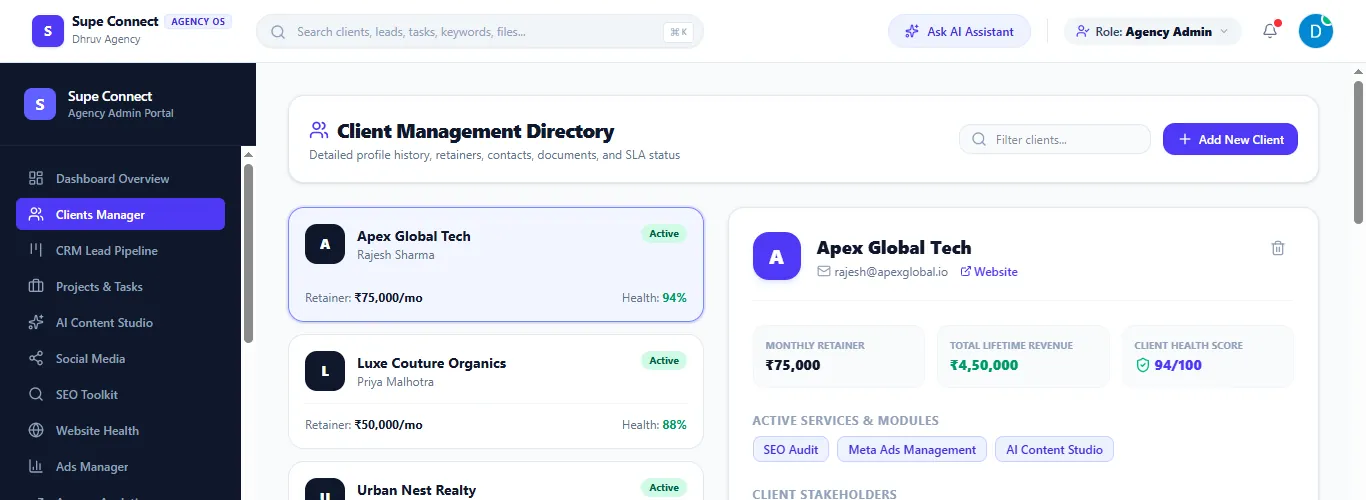
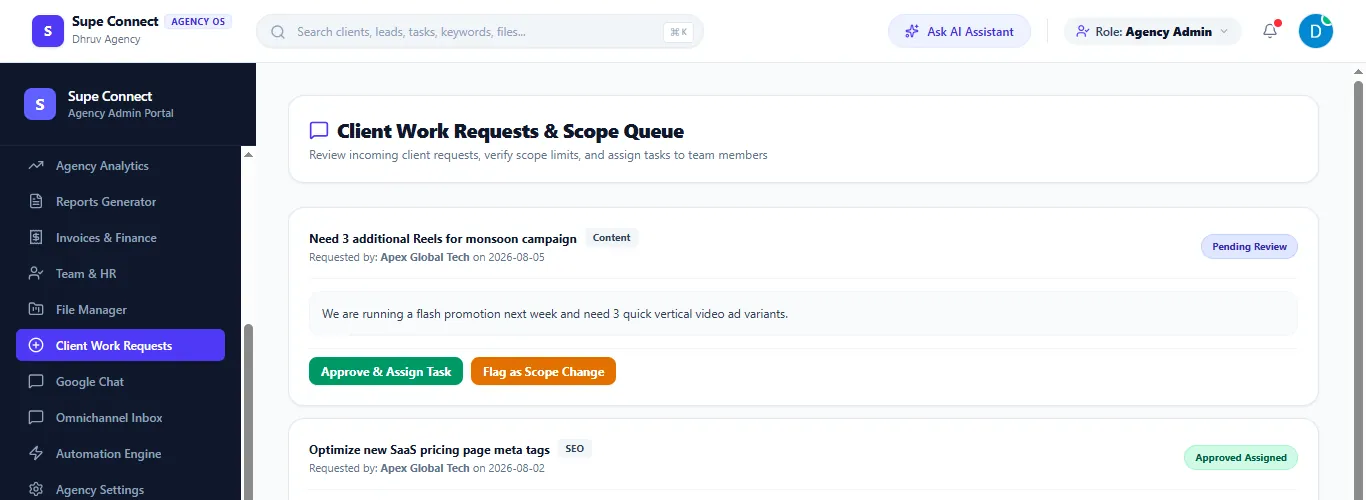
Keep each client's profile, retainer, contacts and active services together, so anyone on the team can see where an account stands — and review incoming client requests without losing scope.
- Monthly retainer, lifetime revenue and a client health score on every profile
- Stakeholders and active services listed with the client
- A request queue to approve and assign client work, or flag it as a scope change
See every deal and what to do next
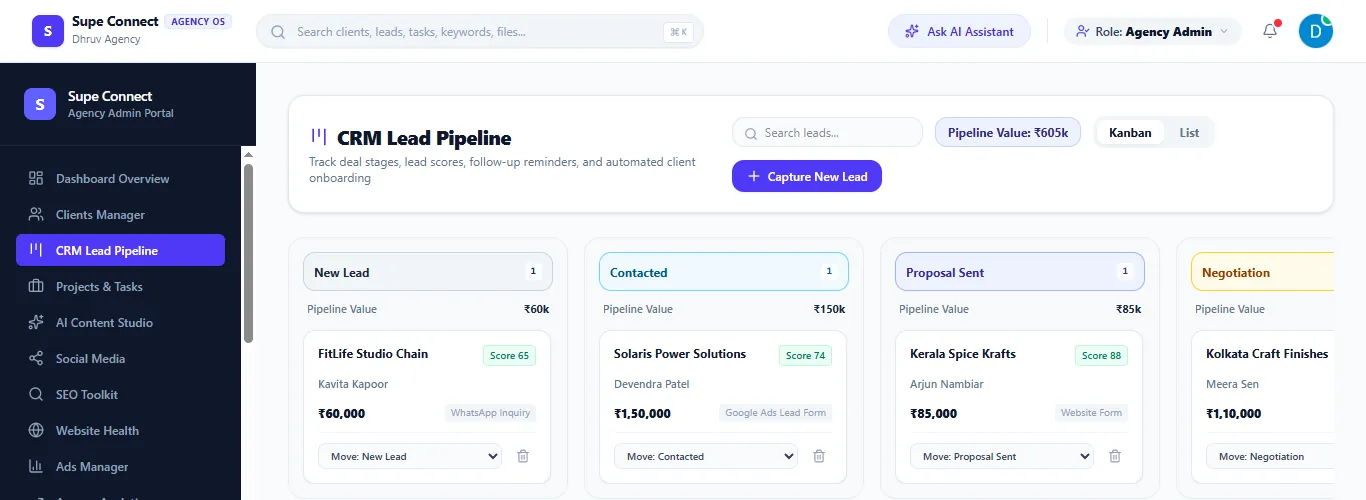
Follow leads from first contact to negotiation. Each card shows the deal value, a lead score and where the lead came from, in a Kanban or list view.
- Pipeline stages from New lead to Negotiation, with total pipeline value
- Lead sources such as WhatsApp, Google Ads forms and website forms
- Move a deal to another stage directly from its card
Plan work and track delivery
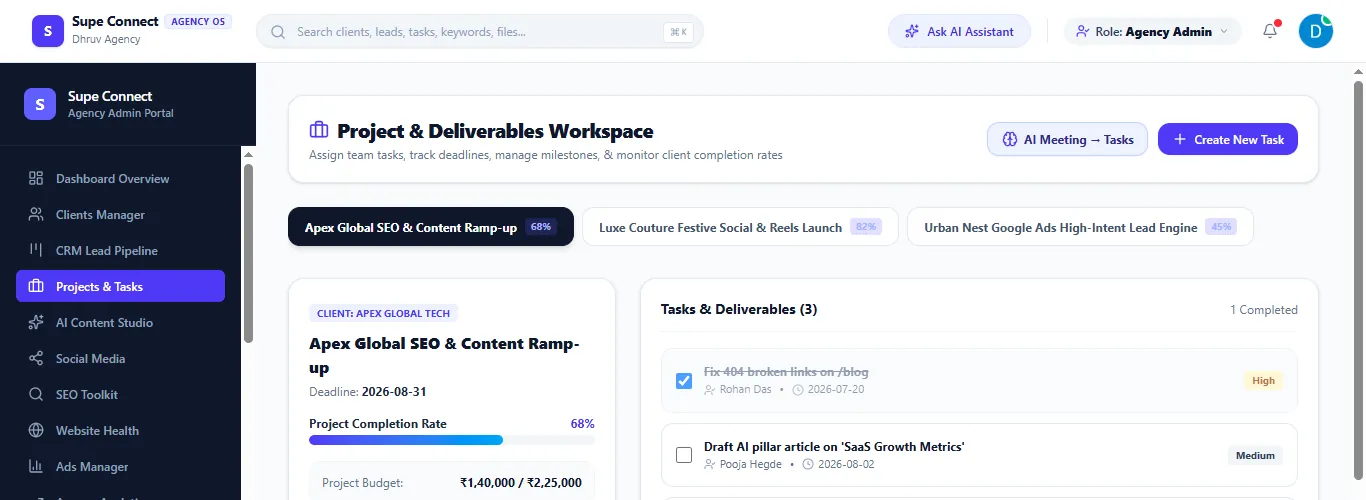
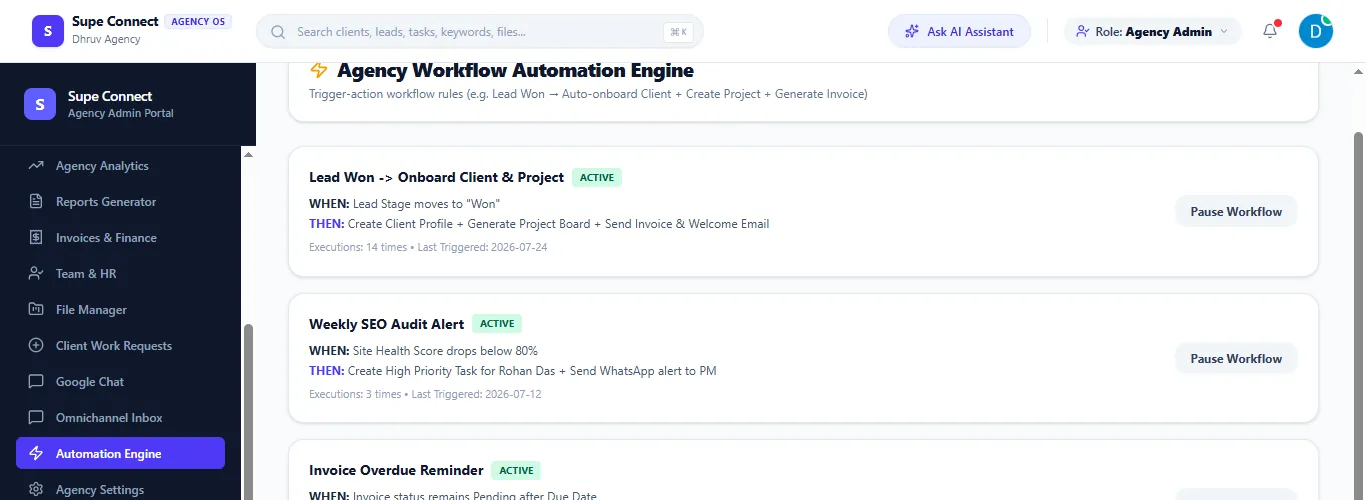
Each project shows its completion rate, deadline, budget and milestones, with tasks assigned to team members — and workflow rules that handle the repetitive parts automatically.
- Completion rate and budget spent for every project, with milestones and task priority
- Trigger-action automation rules, such as a won lead creating a client, project and invoice
- An AI shortcut that turns meeting notes into tasks
Organize campaigns across every channel
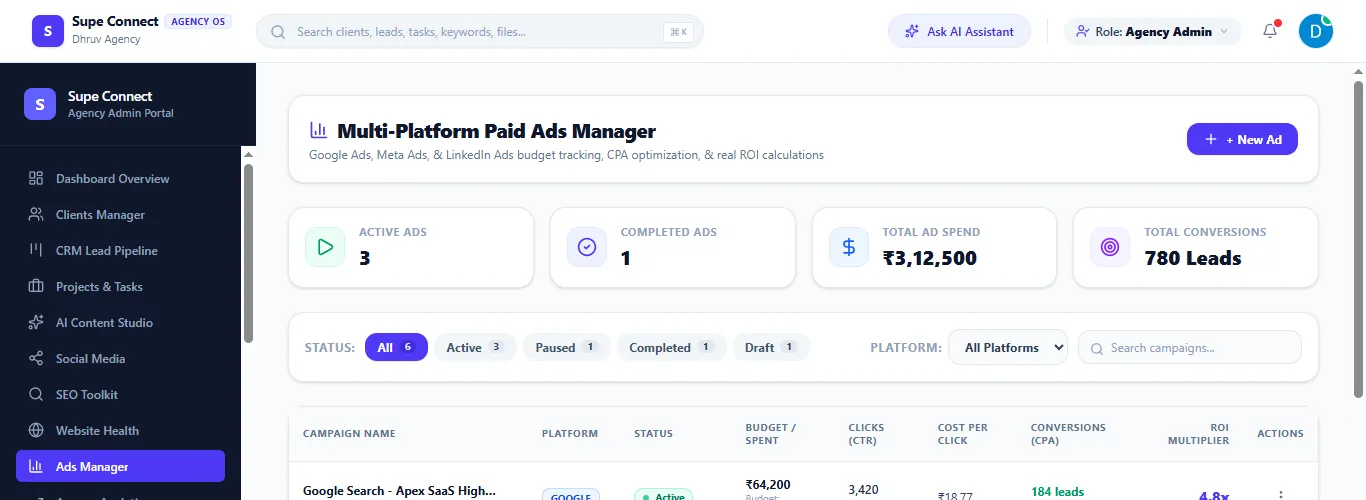
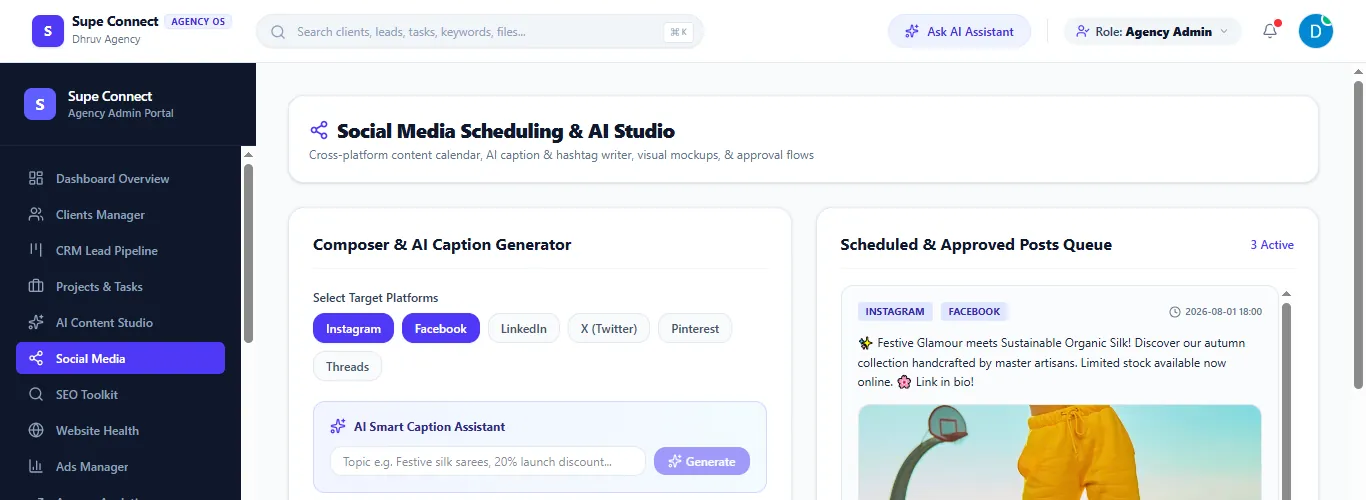
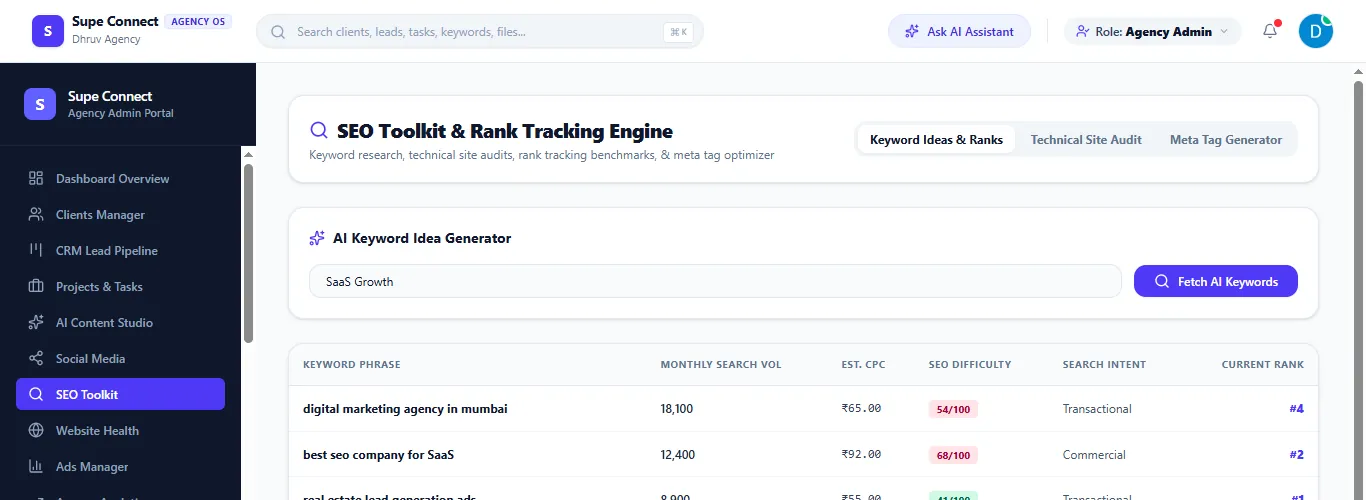
Track paid ads, social content and SEO from one place, instead of switching between each platform's own dashboard.
- Google, Meta and LinkedIn campaigns with spend, clicks, CPA and an ROI multiplier
- A social content calendar with an AI caption and hashtag writer, and a queue of scheduled posts
- Keyword research, technical audits and rank tracking in the SEO toolkit
See who is working on what
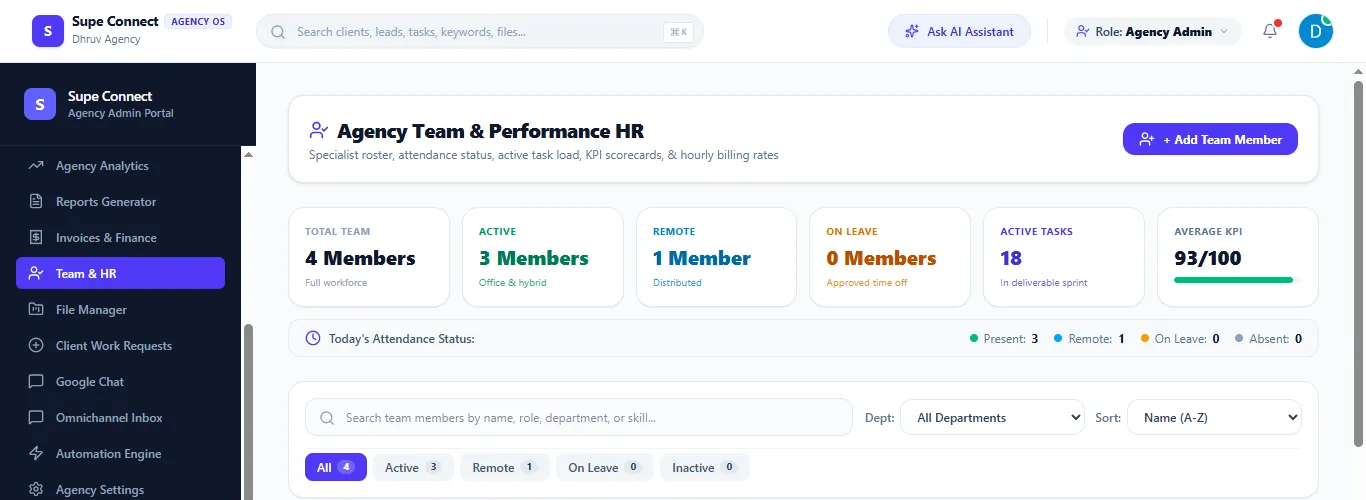
Keep your roster, attendance, task load and performance scores in one view, and message the team without leaving the workspace.
- Present, remote, on leave and absent counts for today, with active task load and KPI scores
- Hourly billing rates on every team member's profile
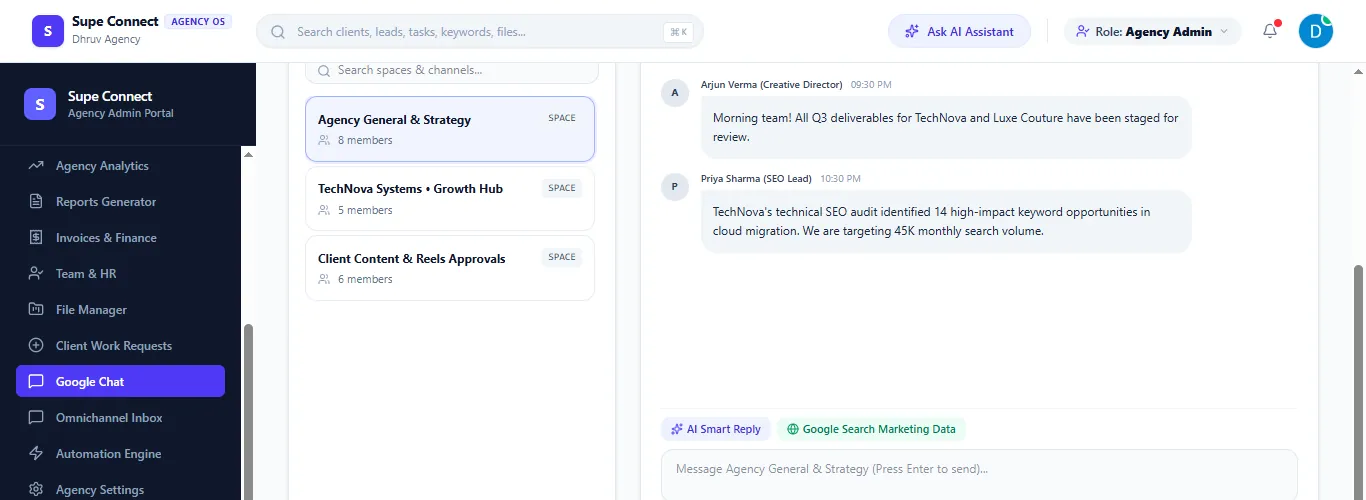
- Team chat spaces alongside dedicated spaces for each client account
Bring performance and profitability together
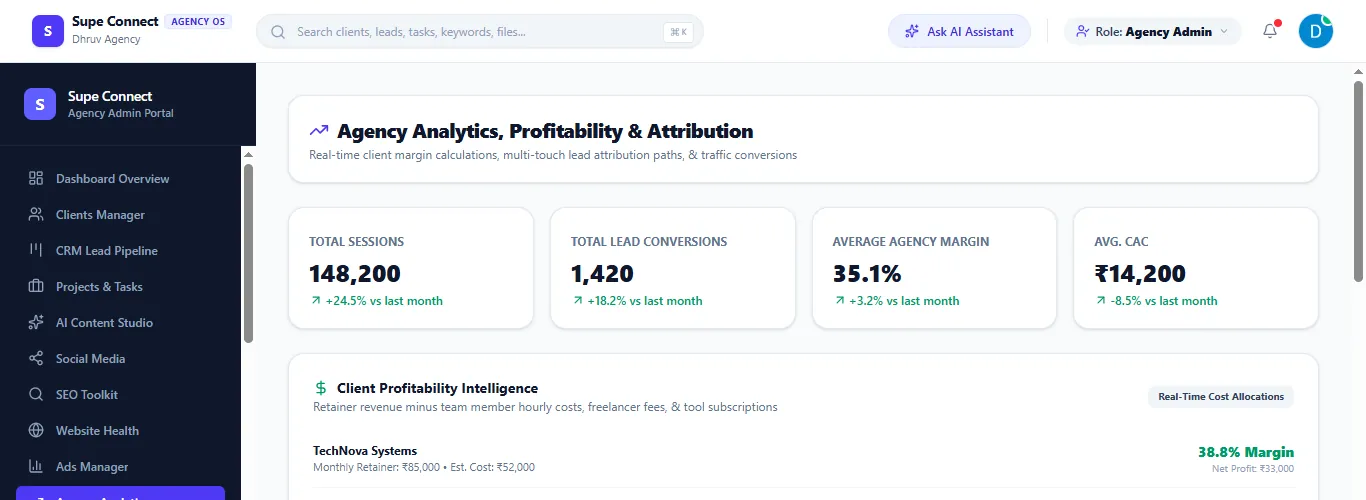
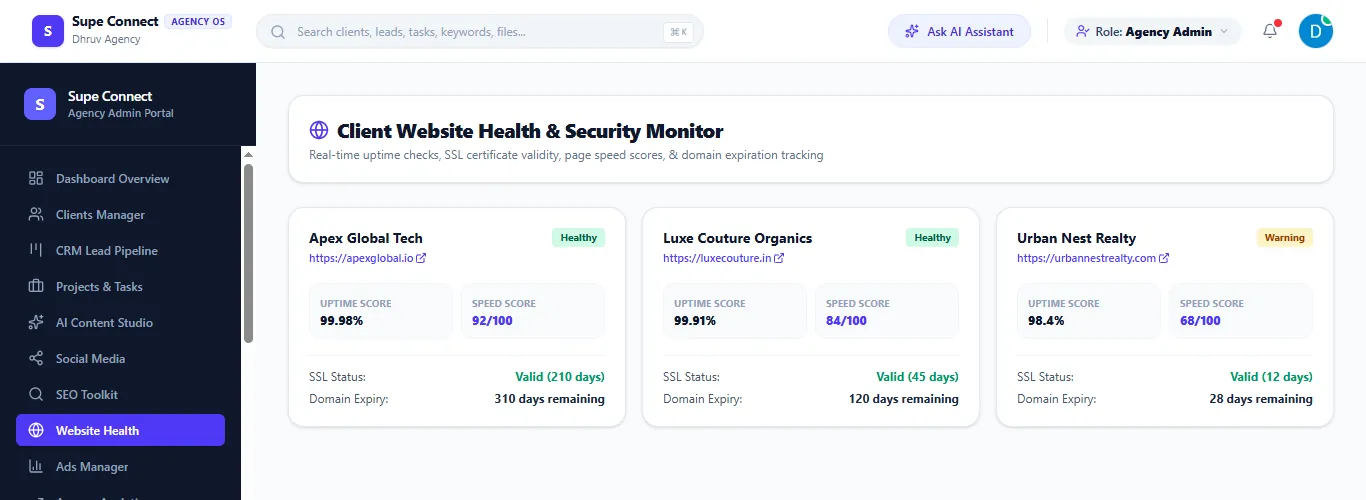
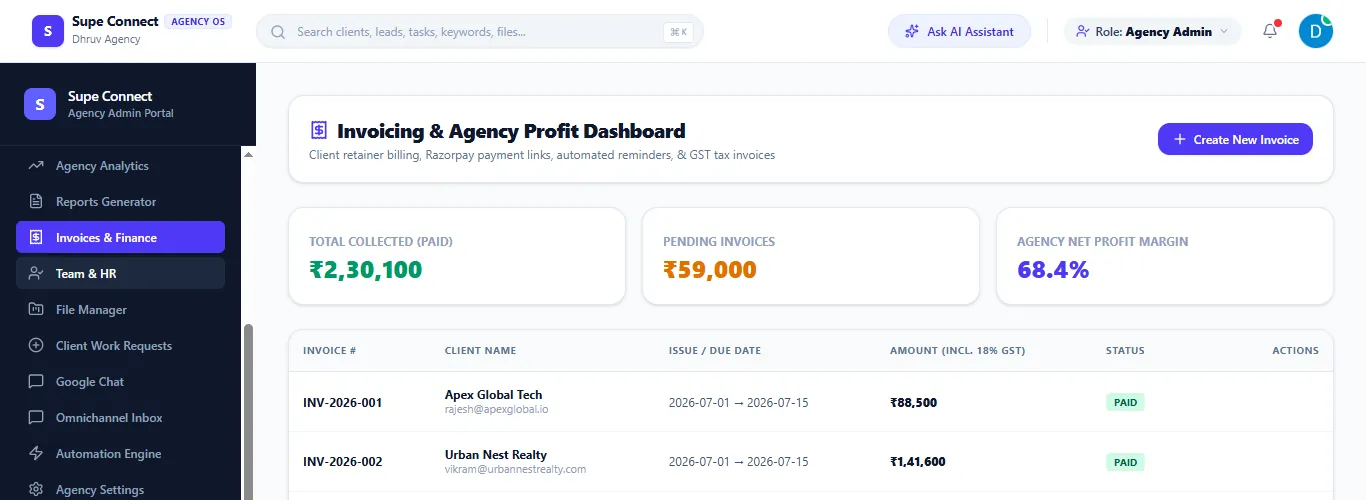
Follow sessions, lead conversions, margin and client website health from one dashboard, alongside billing and what's collected versus pending.
- Month-on-month change on every headline metric, with a margin warning on low-profit retainers
- Uptime, page speed, SSL and domain expiry tracking for every client website
- Invoicing with GST-inclusive totals and collected versus pending status
AI that works inside your agency, not beside it
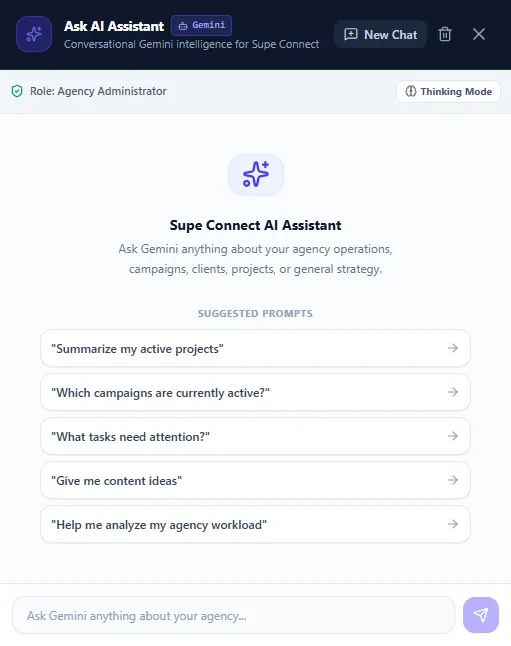
Gemini-powered AI is built into the tools your team already uses — not a separate chatbot with no context on your work. Responses operate within your authenticated role, organization and permissions.
- Ask the assistant about active projects, running campaigns or what needs attention
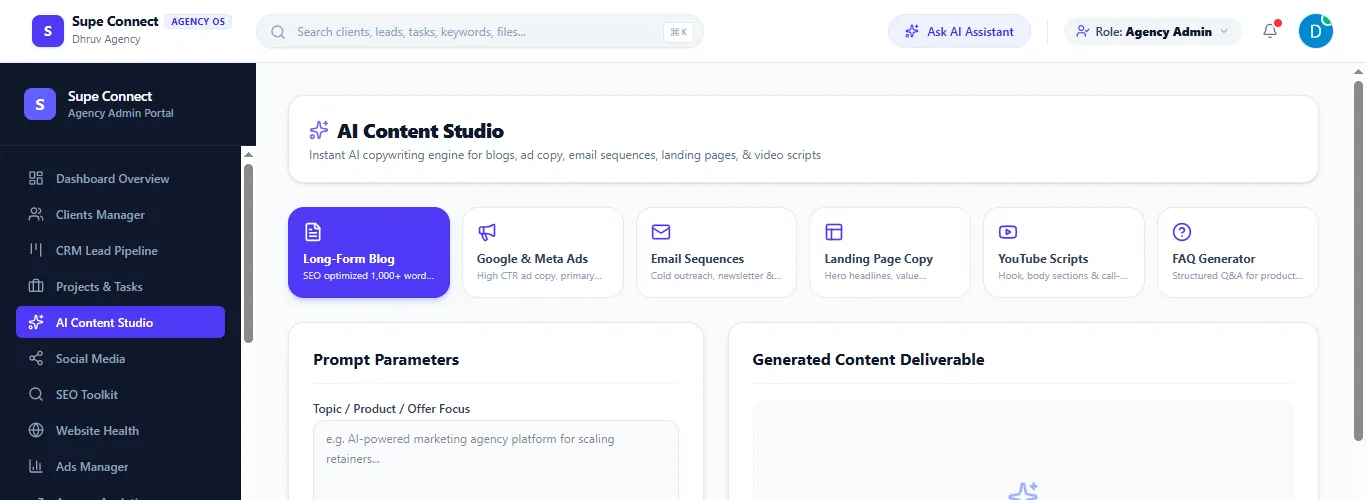
- Generate blog posts, ad copy, email sequences, landing pages, YouTube scripts and FAQs
- Turn a topic into keyword ideas, or write social captions and hashtags
A focused view for your clients
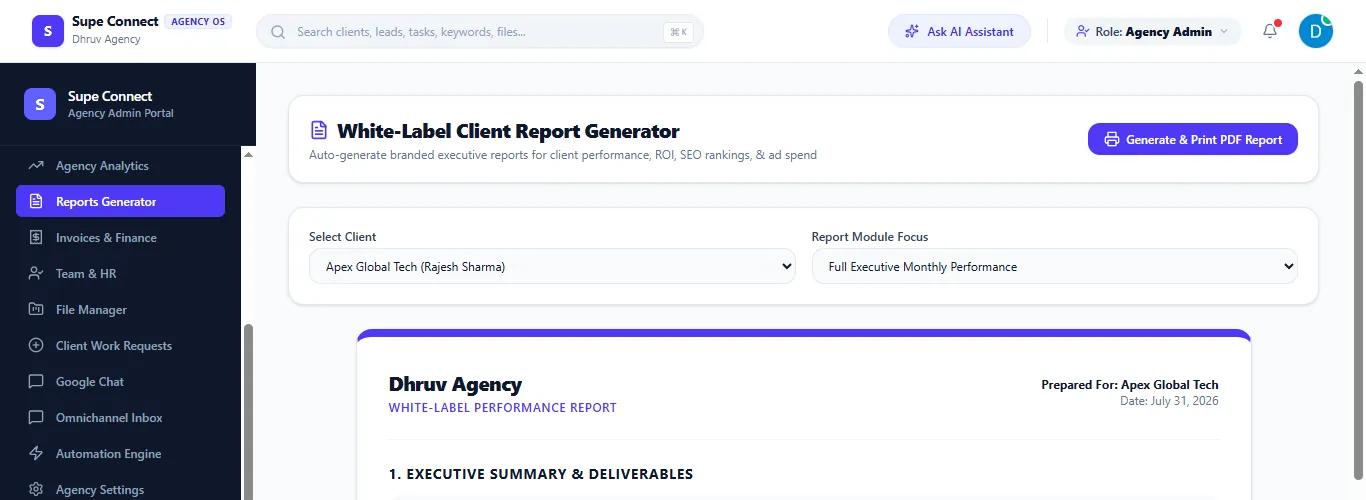
Clients get their own role, scoped to what they need — project status, reports and invoices — without visibility into your internal agency operations.
- White-label reports branded with your agency name, ready to generate and print as a PDF
- Clients can submit work requests, which your team reviews and assigns
- No access to internal pipeline, margins or team data
Control access and manage agency assets
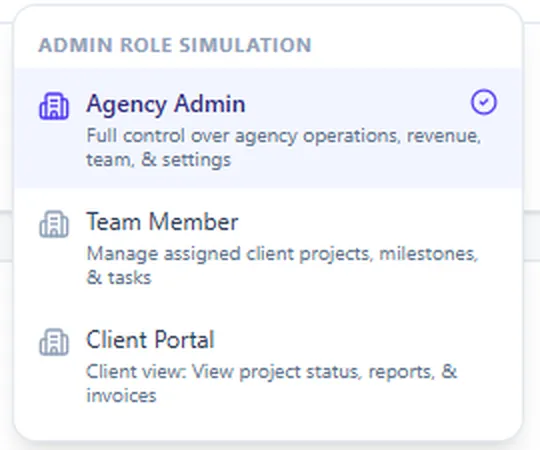
Switch between Agency Admin, Team Member and Client Portal roles, and keep client files, contracts and deliverables organized with version control.
- Agency Admin has full control over operations, revenue, team and settings
- Team Member access is scoped to assigned client projects, milestones and tasks
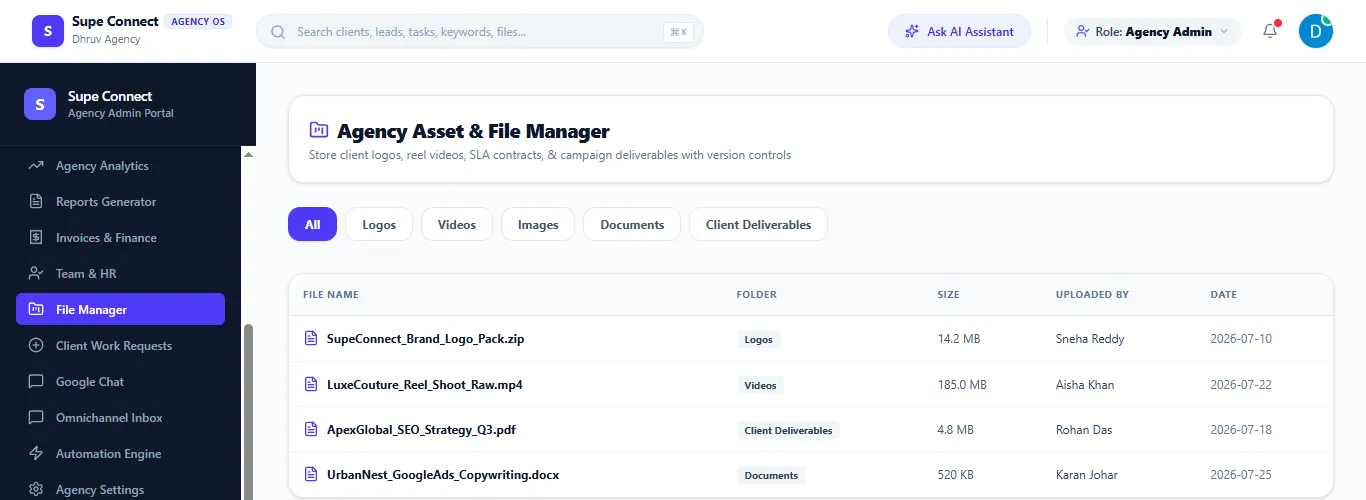
- Store logos, videos, contracts and deliverables, filterable by type
See it running with real sample data
The live demo has every feature on this page, pre-loaded with sample clients, campaigns and invoices.